|
Course Outline
|
Learning Goals:
Even after 5 years:
-
Know:
- The building blocks of language design.
- Diverging paradigms of languages and their philosophical differences.
- How AI writes code.
-
Be able to do:
- Design and implement an interpreter for a C-like language.
- Choose an "appropriate" language for a given problem.
- Examples of these paradigms are imperative (e.g., C),
object-oriented (e.g., Ruby, C++, Java, Python), functional
(e.g., Haskell), etc. Also
covered is how some of these paradigms are used in web
programming (e.g., Ruby on Rails).
-
Find value in:
- Convergence of design principles but divergence of language paradigms!
- What goes behind the scene at various stages of your coding.
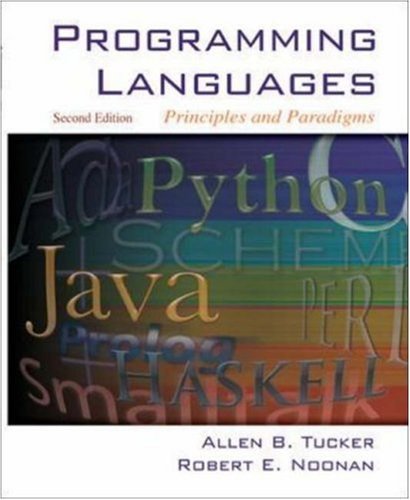
Evaluation:
-
Ungraded summative assessment (SA):
There will be several
programming projects. These projects will be ungraded, but you will receive detailed feedback. These projects will be connected to viva voce as described next.
-
50% points for viva voce:
Viva voce, which means "with the living voice" in Latin and is usually translated as an oral exam. In this course, viva voce will mean face-to-face conversation with Prof. Irfan. You will get points on viva voce by demonstrating that you have an adequate understanding of the course materials.
After you receive the feedback for each SA/project (except the final project), you will meet with Prof. Irfan during office hours (or by appointment) for a few minutes to talk about the project and related topics. To prepare for the viva, you should make any necessary corrections and review the related course topics as if you are preparing for a midterm. You will get points based on your understanding of the materials.
-
30% points for formative assessment (FA): This includes formative assignments and in-class group work.
-
15% points for final project: The final project should be on a paradigm of programming languages on the applied side. You have the freedom to choose your project, but you should consult with Prof. Irfan. You will submit a project report.
-
5% points for good citizenship: Attendance, adherence to the screen policy, and active participation in class, including note taking. Taking handwritten notes is highly recommended for its many benefits.
-
Points to letter grade conversion:
95% A, 90% A-, 85% B+, 80% B, 75% B-, 70% C+, 65% C, 60% C-, 55% D,
below 55% F
|
Programming Assignments:
|
Late Policy:
-
Extensions will be given if there is any health or other emergency situation. Otherwise, late submissions will be accepted up until 24 hours
after the deadline with a penalty.
Each hour after the deadline would cost 4% (for projects, this cost will be charged to viva voce).
|
Software Installation:
|
Outline of Topics:
| Week |
Topics |
Reading |
Notes, Slides, Video |
| 1 (1/21) |
Introduction |
Ch 1
|
1.
Slides- Intro
2. Links:
Tiobe Index of PL
PL in big data
Video on Ada Lovelace
Bjarne Stroustrup video |
| 2 (1/26, 1/28) |
Syntax |
Ch 2 |
1. Slides- Syntax
2. Video: John Backus on BNF
3. Full interview of Backus
|
| 3 (2/3, 2/5) |
Syntax (cont.)
|
Ch 2 |
1. EBNF of C++ (Canvas)
2. Niklaus Wirth: creator of EBNF, Pascal, etc.
|
| 4 (2/9, 2/11) |
1. Lexical analysis
2. Finite state automata: NFA and DFA
Project 1 out
|
1. Ch 3
2. Handout: Finite state automata - Scott (Canvas)
|
1. Slides- Lexical Analysis
2. Video: NFA -> DFA
|
| 5 (2/16, 2/18) |
Syntactic analysis & parsing algorithms
|
1. Ch 3
2. Handout: left recursion and left factoring (Canvas)
|
Slides- Syntactic Analysis
|
| 6 (2/23, 2/25) |
Parsing algorithms (continued)
Project 2 out
|
|
1. LL(1) parser generator
2. Prof. Irfan's class notes on LL(1) parsing
|
| 7 (3/2, 3/4) |
1. Names
2. Types
|
Ch 4, 5, 6 |
Slides- Names
Slides- Types
|
| Spring Break |
|
|
|
| 8 (3/23, 3/25) |
1. Type systems (continued)
2. Semantics and semantic analysis
Project 3 out
|
Ch 7, 8 |
Slides- Semantics
|
| 9 (3/30, 4/1) |
Control flow semantics (continued)
Paradigms of PL:
1. Imperative vs Object-Oriented PL
2. OOP paradigm: Ruby
|
|
1.
Slides- OOP
2. Interview of Larry Wall (Designer of
Perl)
|
| 10 (4/6, 4/8) |
OOP paradigm: Ruby
|
|
Slides- Ruby
|
| 11 (4/13, 4/15) |
Web programming - Ruby on Rails
| |
Slides- Rails |
| 12 (4/20, 4/22) |
Functional programming - Haskell
Final project out
|
|
Slides- Haskell |
| 13 (4/27, 4/29) |
AI program synthesis: Intro to LLM
|
|
Slides- LLM
|
| 14 (5/4, 5/6) |
AI program synthesis: LLM for code generation
|
|
Slides (continued)
|
|
|
Other topics (time permitting): Functions and memory management (Ch 9, 11)
|
|
Collaboration Policy
|
|
Each assignment will clearly specify the level of collaboration using the CS collaboration policy. With some exceptions, the labs and projects are individual assignments by default.
Students are expected to follow Bowdoin's Academic Honor Code.
For individual assignments, you are encouraged
to discuss ideas and techniques broadly
with your classmates, but not specifics of assigned problems. Discussions should be
limited to
questions that can be asked and answered without using any
written medium (e.g., pencil and paper, board, or email). This means that at
no time should a student read anything written by another
student. Violation of this policy
is grounds for me to initiate an action that would be filed with the
Dean's office and would come before the Conduct Review Board. If you have any
questions about this policy, PLEASE do not hesitate to contact me.
This will be a zero-tolerance policy.
If in the future you provide your work to other students, this will also
constitute a violation of the collaboration policy.
|
|
|
|
We will follow the DCS AI policy in this course.
What counts as Generative AI?
Generative AI refers to all the AI systems that can create new content like text, code, images, audio, and other types of media. This includes but is not limited to:
- Large language models (ChatGPT, Claude, Gemini, etc.), apps and agents derived from them, and aggregator interfaces (Amplify, LibreChat, etc.)
- Code generation tools (GitHub Copilot, Google Colab, Cursor, etc.)
- Image generators (DALL-E, Midjourney, etc.)
- AI-powered writing assistants and autocomplete features
- NotebookLM, Quizlet AI features, and other AI-enhanced study tools
Always acknowledge what generative AI tools were used to help you complete assignments.
How can generative AI help you to learn in this course?
- Converting slides and notes to study guides and podcasts (e.g., NotebookLM)
- Creating practice materials like flashcards and mock quizzes or exams (e.g., Quizlet)
- Proposing a study plan
- Providing alternative explanations or examples
- Suggesting refinements to grammar and corrections to spelling
- A guide to debugging code
How can generative AI impair your learning in this course?
- Often misses design layers in coding projects, making the code hard to debug
- Reduces critical thinking and problem-solving abilities
- Can limit creativity
- Creates a sense of false confidence
- Creates dependency
- Reduces retention
- Limits research skills
- Denies you the possibility of self-expression in a constructive environment
Other costs of using AI
- Environmental impact – large energy use
- Labor exploitation – poorly paid workers for moderation and labeling
- Digital colonialism – reinforces inequalities and Western perspectives
- Digital divide – widens gaps in tech access
- Aggregation – concentrated power in few companies
- Privacy – inputs may be stored despite disclaimers
Why do we give you assignments?
"We don’t assign essays because the world needs more student essays." - Emily Bender
Assignments are designed to help you develop essential skills and ways of thinking that will serve you throughout your education and beyond. Each assignment is an opportunity to practice critical thinking, develop your unique voice, learn from struggle, engage with material, demonstrate learning, and prepare for future challenges.
Academic Integrity Expectations
- Be transparent about AI use
- When in doubt, acknowledge it
- Submit your prompts with assignments
- Understand that overreliance hinders learning
- Violations will be treated as academic dishonesty
When is generative AI not allowed?
- To generate code (unless you are an expert), for many reasons:
- AI generated code lacks layers and context.
- AI may generate spaghetti code with convoluted logic -- too complicated to debug (Prof. Irfan can give you many examples).
- You lose your reasoning ability.
So, you must write at least the initial draft of code yourself.
- To generate text; e.g., to flesh out an outline, leading to an initial draft that you intend to revise
- To brainstorm – your background is richer than AI’s
- To solve problems – designed to strengthen critical thinking
- As a search engine for facts – verify independently
- To analyze data or interpret results without your own reasoning
- To generate ideas for creative projects or research questions
- To complete exams or quizzes unless permitted
- To translate assignments or materials without permission
When can generative AI be used?
- Getting help on understanding programming concepts (different from generating code by prompts)
- Debugging your code by understanding cause of the faults
- Testing your code by generating test cases
- Getting help on a software tool (e.g., how do I resize nodes in Gephi?)
- Polishing text by checking for grammar, spelling, and styling suggestions
- Outlining, i.e., preparing an initial structure with AI to be expanded with your own perspective (note that the opposite is not allowed)
- Finding resources to support research
- Testing discussion questions for class
- Checking your work and getting preliminary feedback
|
|
Screen Policy
|
|
We will follow the DCS screen policy.
No screen use is permitted in class unless explicitly stated by the instructor or in cases of learning accommodations. This includes phones, tablets, and computers. Most courses will display a symbol during presentations that indicates when screen use is allowed. When screens are not permitted, all devices should be put away and out of sight.
If you have a documented accommodation that allows the use of a laptop or tablet for note-taking, please make sure to submit the appropriate materials to the professor.
|
|
Github Policy
|
|
Making assignment solutions publicly available through Github or other media will constitute a violation of the honor code for this course.
|